No 
Sorry just wanted to let you know that it’s fixed here
Thank you aha x)
by user 224464722878005248
Hello !
I updated to the version 2.67.10 and it doesn’t work (do I need to wait the 2.68 version ?)
by user 224464722878005248

As you see, no canvas
by user 224464722878005248
And no error in the console
by user 224464722878005248
I would like to update to the 2.67.10 to use the postprocessing tool with the editor sync but I think I can’t
by user 224464722878005248
What does not work? Sorry
I use the react template.
And the canvas doesn’t appear at all when I start my application
by user 224464722878005248
Normally, the canvas launch after loading and this script is called to load my models from my node server :

by user 224464722878005248
But it never happens
by user 224464722878005248
The only warning that I have is about using three-bvh which use normally three 0.141
Bah it worked perfectly fine with the 2.60.4 so there is no reason that it creates it
If it was, normally I would have an error but I haven’t
by user 224464722878005248
In App.tsx try change this:
function NeedleEngine(props) {
  return <needle-engine>
to
function NeedleEngine(props) {
  const files = JSON.stringify(globalThis["needle:codegen_files"])
  <needle-engine src=files>
...
or just explictly the name of your glb in assets (that would be src="assets/sceneRoot.glb" for you if you only have this file)
Like it ?
by user 224464722878005248
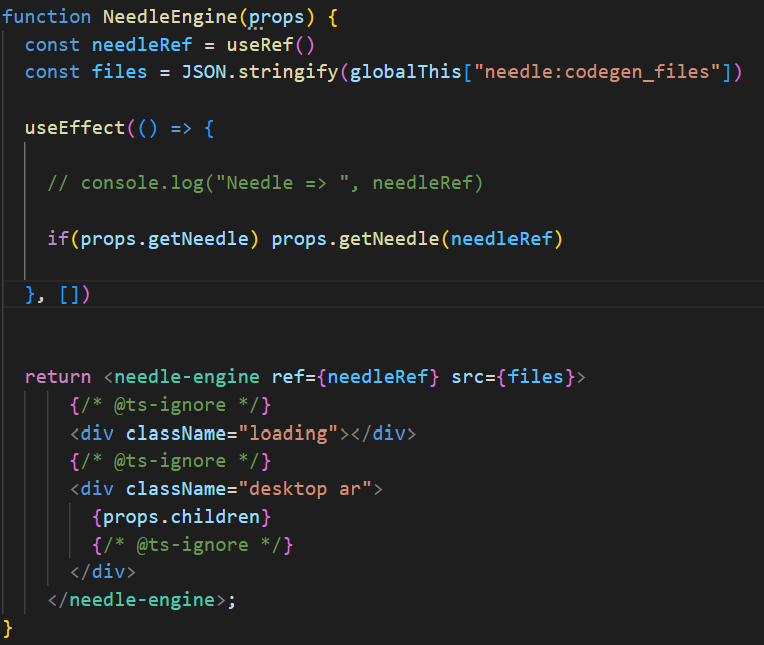
It doesn’t work 
by user 224464722878005248
Try the second option. I think it’s just missing the path to the glb (codegen changed a while ago, sorry I forgot to update the react template)
It works !
by user 224464722878005248