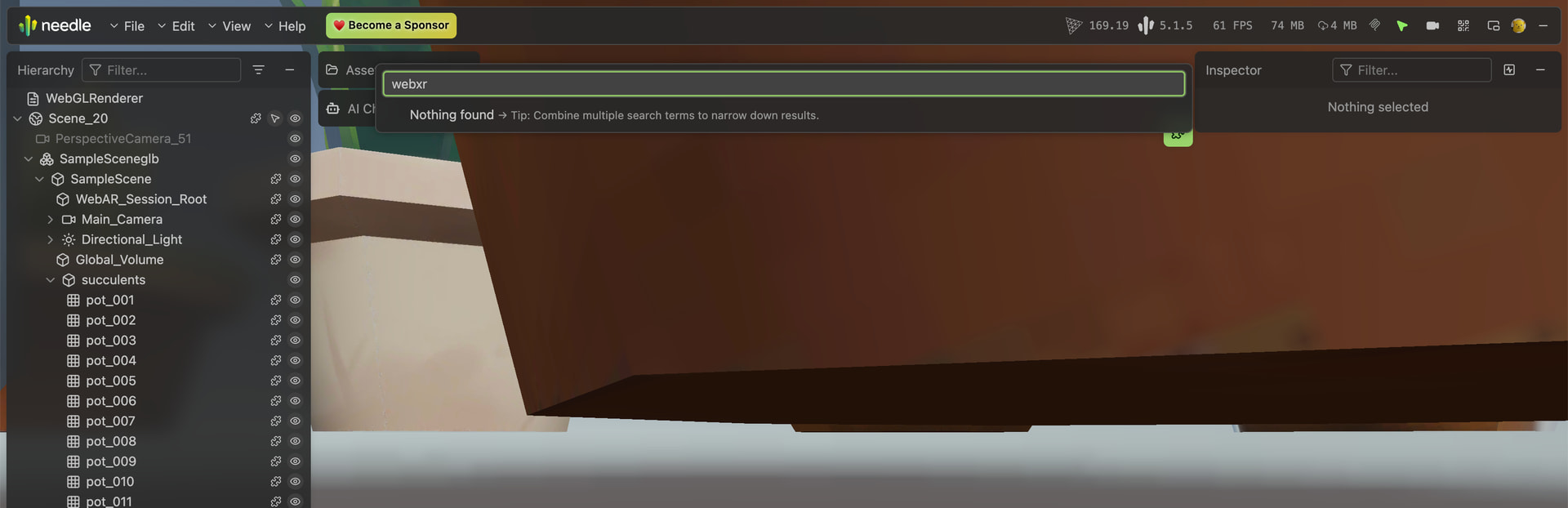
I’m on the free (Basic) license, Needle Engine 5.1.4 (also tried 5.1.5), Unity 6, testing on Windows/Edge and iPhone Safari via local HTTPS, and also deployed to Netlify.
Problem: In newly created projects, none of the WebXR buttons appear — not AR, not VR, not even the QR Code button. The 3D content loads fine (models, lighting all correct). Inspecting the DOM, the <needle-menu> shadow root has #root.has-no-options.logo-hidden { display: none } applied and the menu collapses to height 0, so it looks like no buttons are being added to the menu at all.
Live examples (both Needle 5.1.4, identical package.json):
WebXR component present, Create AR/VR/QR all enabled; WebARSessionRoot present; ExportInfo/Location correct; Export On Save on
No custom code (main.ts is just the default import; also reproduced on an empty Sample Scene)
Not a path issue (assets load fine)
Not HTTPS (the working project uses the same setup)
Not version (tried 5.1.4 and 5.1.5; the working project is 5.1.4)
Not ad blocker (reproduced in a clean InPrivate window)
package.json is identical between working and broken projects (@needle-tools/engine: 5.1.4, three: npm:@needle-tools/three@0.169.19)
Console shows only: No license active (expected on free), a deprecated parameters for the initialization function warning (from rapier), and ERR_BLOCKED_BY_CLIENT on the license ping (ruled out — reproduces without ad blocker).
The strange part: an older 5.1.4 project works, but newly created 5.1.4 projects with identical package.json do not — this makes me suspect something differs at install time (node_modules / lock file) rather than in the scene. Has anyone seen this? What should I check?
Check that your new project’s WebXR component settings exactly match the working one — especially that createVRButton, createARButton, createSendToQuestButton, and createQRCode are all set to true (like the snippet in context). The menu collapsing to height 0 often means no buttons were registered. If all settings are correct, compare the package-lock.json between projects — a dependency difference can cause the UI module to load incorrectly. Try deleting node_modules and package-lock.json from the broken project, then reinstall with npm install. If that doesn’t fix it, share a link to your broken deployed scene for further inspection.
1 replies left - Become PRO for more replies. Reply to this post directly if you need further help (bottom right button)
Thank you so much for the help — you were right on the money. I checked and the WebXR component was indeed attached directly to the Needle Engine object, which is tagged EditorOnly. I moved it to a separate GameObject (tagged Untagged, placed under SceneRoot alongside the rest of the content), and the buttons now appear correctly. Really appreciate the quick and precise diagnosis!
I do have one follow-up question, if you don’t mind — I’m still learning Needle/Unity (self-taught, coming from a non-technical background), and I’d love to understand the “why” behind this so I can avoid it in the future:
Since the WebXR component’s entire purpose is to create visible UI (the button menu), is there a design reason it doesn’t automatically create its own GameObject the way WebARSessionRoot does (which you mentioned gets auto-created if missing)? It seems like this could be a common trap for newer users, since the failure is silent — no warning in the console or Inspector when WebXR ends up inside an EditorOnly hierarchy and gets excluded from export.
Just curious about the reasoning, and thought it might be useful feedback either way. Thanks again!
Hi, glad it solved the issue and thanks for your feedback.
With EditorOnly the component and subhierarchy are ignored/skipped on export in Unity - we have added a indicator in the Unity hierarchy for “EditorOnly” objects
but Needle Engine is the one exception of the rule unfortunately where we render the Needle Logo instead to indicate that it has the web project connection.
The WebARSessionRoot object gets created by the WebXR component if it doesnt exist.
Ah, that makes perfect sense now — I understand! Thank you for clarifying, and also for always responding so quickly and thoroughly. I’m learning Needle/Unity on my own, and your detailed answers have genuinely made a huge difference in helping me learn. Really appreciate all the support!
 Works (AR/QR buttons show): https://halloween-ar-01.netlify.app/
 Broken (no buttons at all): https://hallo03.netlify.app/