How do I remove the Needle logo from the QR code
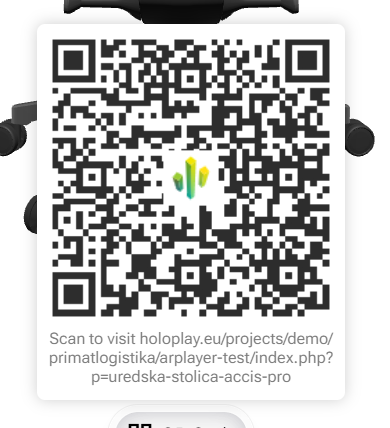
Hi Tomislav, you can remove the Needle logo from the QR code by setting the showLogo flag to false when generating your QR code. The generateQRCode function from Needle Engine accepts a showLogo option that determines whether the logo is overlayed on the generated QR code. For example:
import { generateQRCode } from "@needle-tools/engine";

const qrContainer = document.getElementById("qr-container") as HTMLElement;
generateQRCode({
  text: "https://yourwebsite.com",
  width: 200,
  height: 200,
  // Disable the Needle logo by setting showLogo to false:
  showLogo: false
}).then((qrElement) => {
  qrContainer.appendChild(qrElement);
});
In this snippet the showLogo:true default is overridden, so the resulting QR code won’t display the Needle logo. You can adjust other parameters as needed. This option is clearly documented in the generateQRCode API (see at engine_utils.d.ts.md).
Let me know if you need further assistance!
4 replies left
thread_MDJysmuIVVEOBYEoyD6UsmWx
Reply to this post directly if you need further help (bottom right button)
Hello,
You can set the needle-engine attribute loading-logo-src="0" like this:
<needle-engine loading-logo-src="0"></needle-engine>
Note that this requires a PRO license (as it’s custom branding).
Thanks
Hello Tomislav,
just a heads-up that in newer engine versions the attribute will become qrcode-logo-src. We will keep the loading-logo-src attribute working for a while but I just wanted to let you know.
thanks
Just one more thing, how to remove url underneath QR code?
Additionally, can I display a QR code with a custom button inside an AR app?