In my scene I have a combination of a Realtime directional light and a baked area light. In the Unity editor all objects have a shadow, generated by the directional light. The area light does not generate shadows.
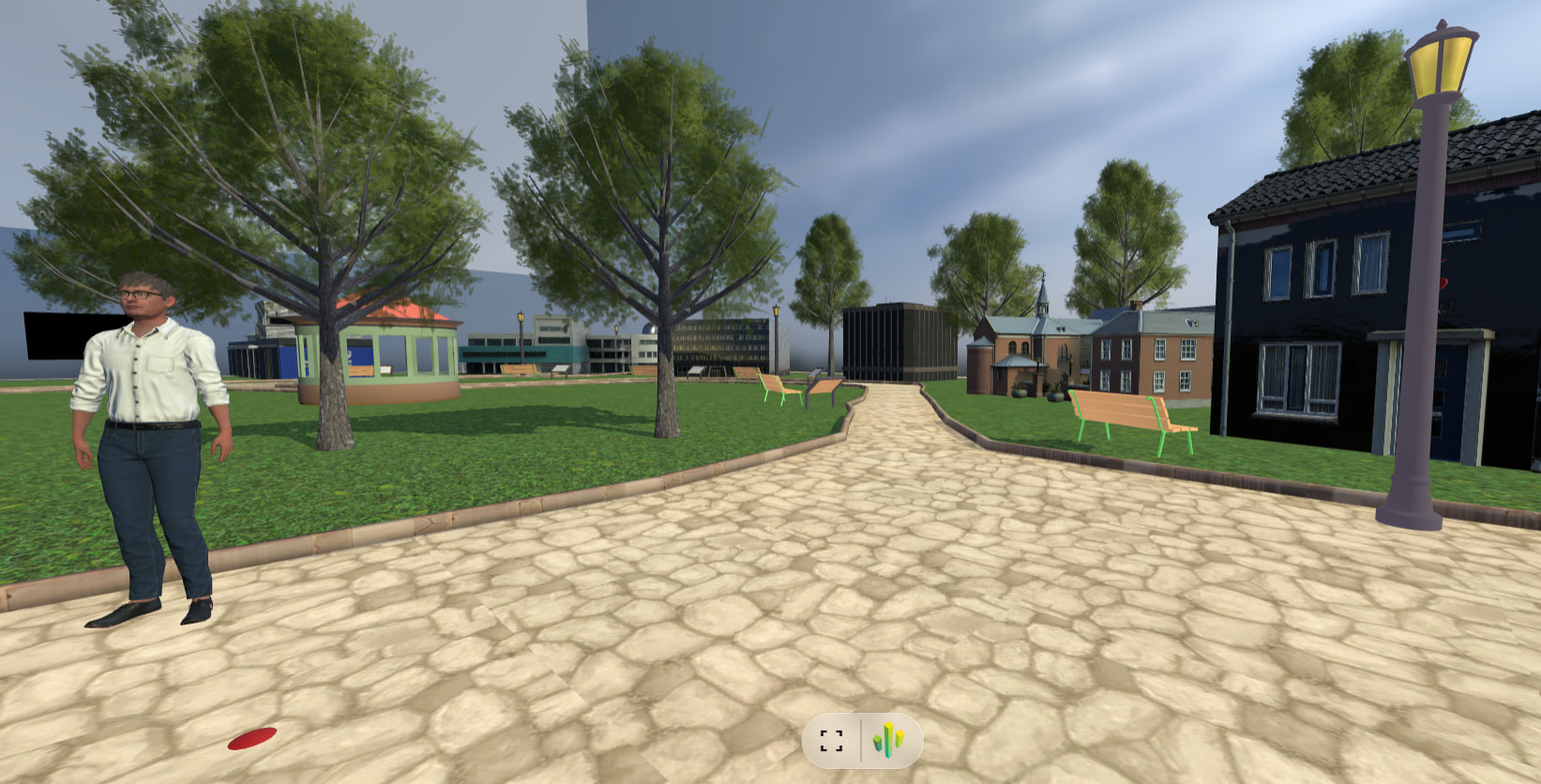
But in the generated scene in the browser only some objects have a shadow. As you can see in the image below, the two trees and the bench have a shadow, just as a small part of the curb. But the lamppost and other benches and the house don’t have a shadow.
This is a known Needle/Three.js behavior, not a Unity bug. The FAQ covers it directly:
For directional lights the position of the light is currently important since the shadow camera will be placed where the light is located in the scene.
— Questions and Answers (FAQ) 💡 | docs
In Unity, a directional light is infinite, so its position doesn’t affect shadows. In Needle Engine (Three.js), the shadow camera is placed at the light’s position, so it only covers a limited frustum — exactly your symptom: objects near the light’s location cast shadows (trees, bench, part of the curb), while objects further away (lamppost, house, other benches) fall outside the shadow frustum.
Next step: In the Unity scene, move the directional light so its position is centered over the area you want shadows, and/or increase the shadow distance/orthographic size (via the Additional Light Data component on the light, or the shadow camera settings). Re-export and the missing shadows should appear.
If you want to verify quickly, open the exported scene and check the light’s position/orientation in the browser inspector.
Hi, the AI reply is probably the reason why they’re not visible where you expect them. In Unity you can enable ShadowHelper in the Light componnet at the bottom to make the frustum of the Light visible in the Editor.
Ok. Is there documentation on the settings? I checked the API, but I only find classes Light and LightData.
What kind of values should I use for shadow width, height and distance, around 10 or around 10000? I tried the ?debuglights flag in the URL.
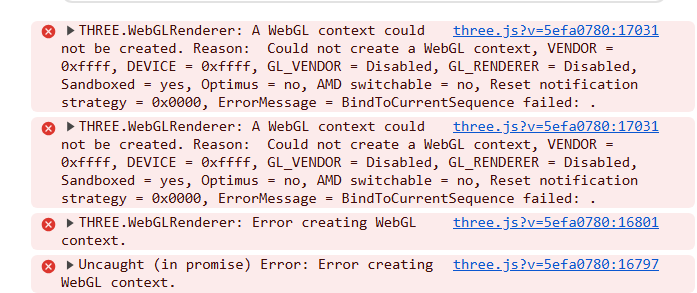
And now, after I played around with the values the scene will not load at all anymore. I restarted the server, restarted Unity, but nothing works. This is what I see in the console log:
The values depend on your scene size. It sounds like you crashed your browser’s WebGL context by entering huge values for the shadowmap size?. Usually restarting chrome helps here (the Three.WebGL renderer can’t create a WebGL context).
I tried the ?debuglights flag in the URL. < you should see gizmos in the browser then that visualize the shadowmap bounds. But when you add the component in Unity you should see a Gizmo as well to help adjust positioning and size. Make sure the shadowmap resolution is at a reasonable size (usually between 2k and 4k, this refers to the resolution, the higher the value the sharper but also the larger the texture that will be created). Width and height refer to the size of the Light’s shadow camera. These values are in three.js units / Unity units. So if your scene is ~100 meter wide then setting it to ~110 width and height could be appropriate to cover it all.
But I had to set the height to actually indicate the distance from the directional light. The scene is approximately 100 by 100 units (meters) and I have some trees and houses that are around 10 units high, so I figured a height of 10, width of 150 and distance of 150 would be fine, but it wasn’t until I changed the height to 100 that all the shadows appeared.