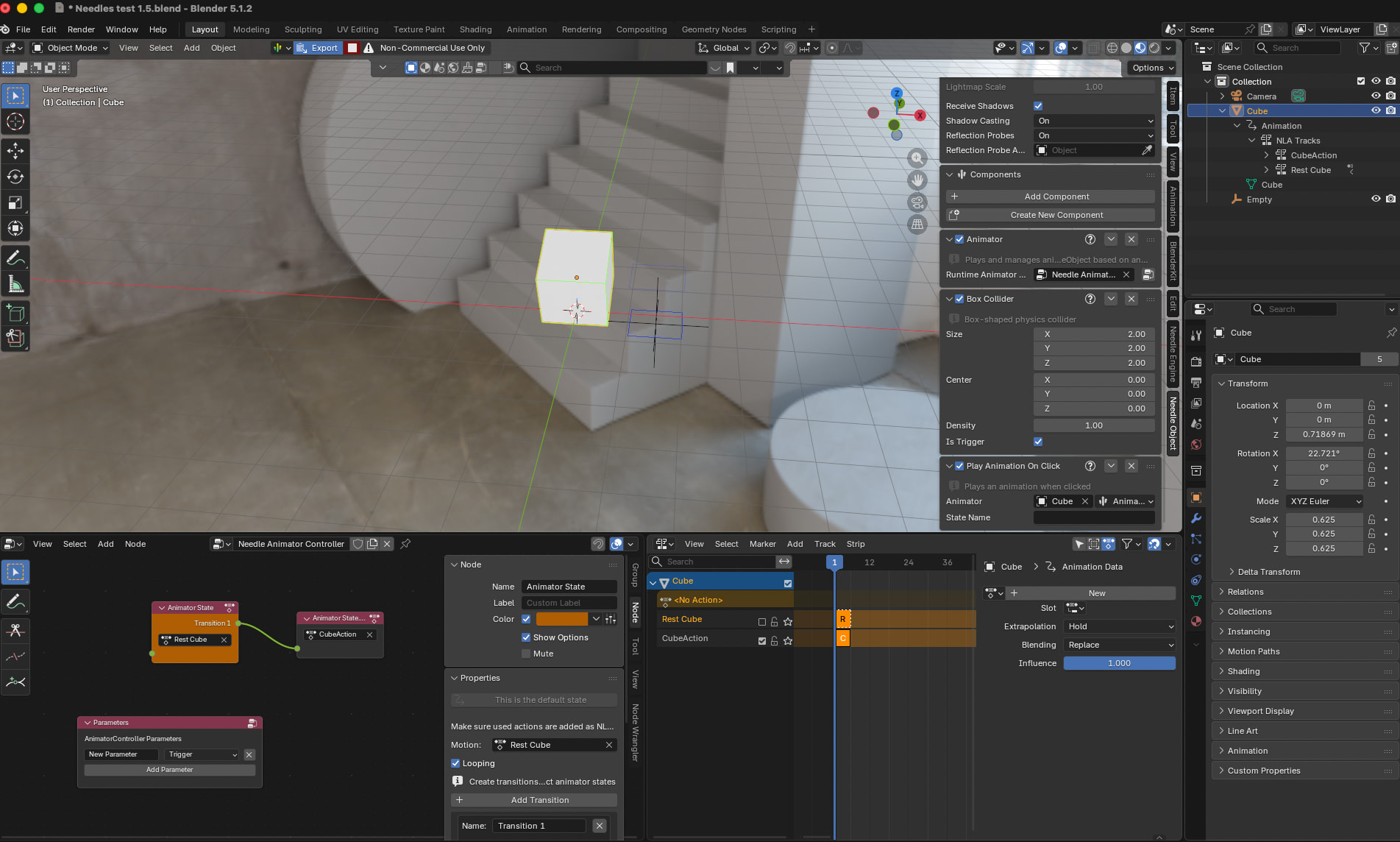
Hi, new to Needle, I am trying to learn the engine, but running into some trouble.
I am trying to animate a cube with the Animator Controller, with 2 states: the cube starts off in rest position, and then a trigger will transition it into a spinning action. Currently if I preview the scene on web, it just autoplays the cube in it’s spinning animation on load, and I cant figure out why.
I think I set everything up correctly? But clearly it’s not working.
edit: Has Exit Time is disabled, but the spinning animation is still playing on load.
The spinning animation plays on load because your Animator Controller likely has the spinning state as the default (entry) state.
Open the Animator Controller, check which state is connected to the green Entry node — that’s the default. Move the entry arrow to your rest state instead.
Also make sure the transition from rest to spinning uses your trigger parameter and Has Exit Time is disabled (so it only fires on the trigger). If the trigger parameter is already set to true in the controller, it will fire immediately — reset it in code via animator.resetTrigger("YourTrigger") in awake().
If you’re still stuck, share a screenshot of your Animator Controller window and the transition settings.
1 replies left - Become PRO for more replies.
Reply to this post directly if you need further help (bottom right button)
Hey,
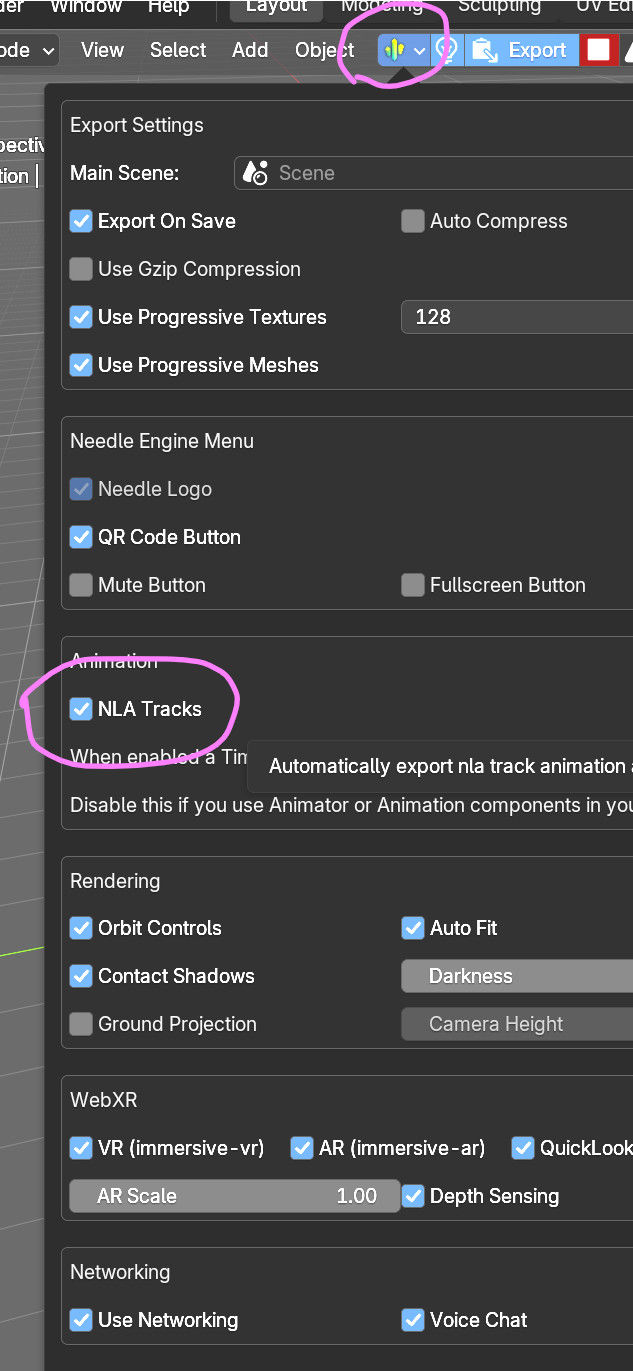
can you please check if “NLA Tracks” is disabled in the export settings:
This setting should be off when using Animator/Animation components.
Thank you! That was it, didnt know there was even a setting there!