Im trying to make XRrig (VR) to jump to certain point using Teleport Target. im applying the component to cube game object. Then im applying XRControllerMovement in XRring game object. with use teleport target is check, but when i test in my quest. right controller still can jump to anyware. is the anything wrong with my setting?
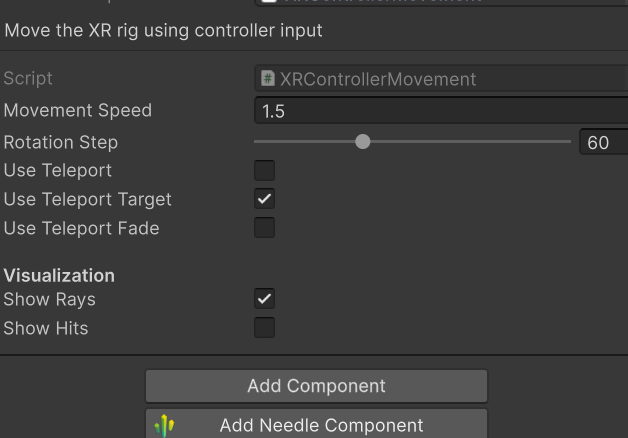
I think I see the issue. The useTeleportTarget checkbox on XRControllerMovement is definitely what you need – but it’s not enough on its own.
The teleport system works by raycasting from the controller. If your cube has no collider, the ray will pass right through it and hit the ground (or whatever’s behind it), teleporting there. That’s the most common cause of “teleports anywhere” despite having the target component.
Fix: Add a collider (e.g., BoxCollider) to the cube. Make sure the cube is on a layer that’s included in the raycast (default layers work). The TeleportTarget component needs to be on the same GameObject as the collider.
Also double-check that useTeleportTarget is actually enabled in the inspector (the checkbox is ticked). If you’re still stuck, share a deployed URL – I can take a quick look.
1 replies left - Become PRO for more replies.
Reply to this post directly if you need further help (bottom right button)
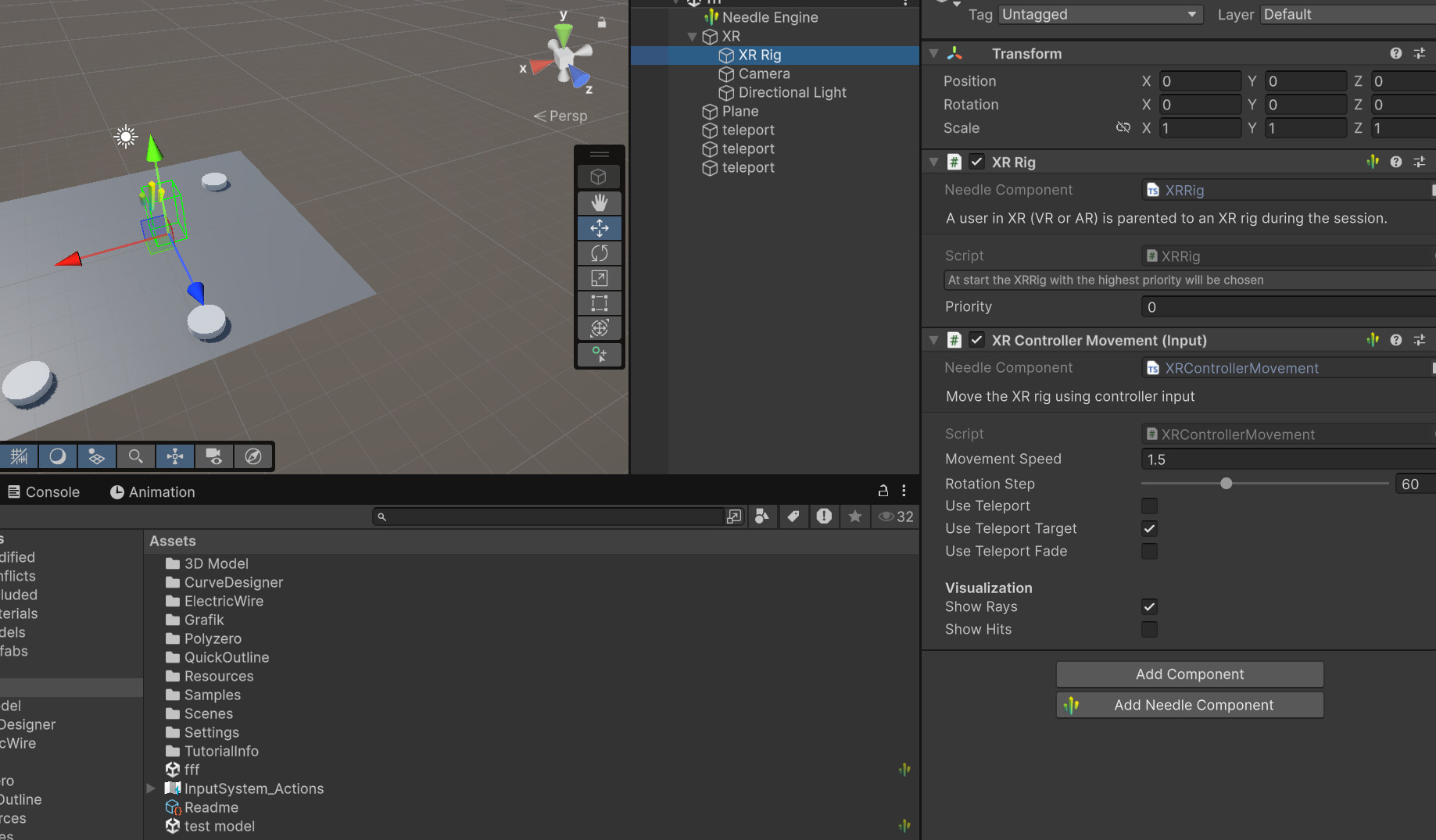
The issue is clear from your image — you have two teleport-related tickboxes on the XRControllerMovement component, but you’re missing a collider on your cube.
The raycast from the controller hits nothing on the cube, so it passes through and hits whatever’s behind it (the floor, ground plane, etc.), letting you teleport anywhere.
Fix it like this:
- Add a BoxCollider (or any collider) to your cube GameObject
- Make sure the collider is not marked as
isTrigger - Keep the
Use Teleport Targetcheckbox enabled
That should snap teleportation only to your cube. If it still doesn’t work, share your deployed URL and I’ll take a quick look.
Sources: Needle Engine Docs (68%)
0 replies left - Become PRO for more replies.
Reply to this post directly if you need further help (bottom right button)
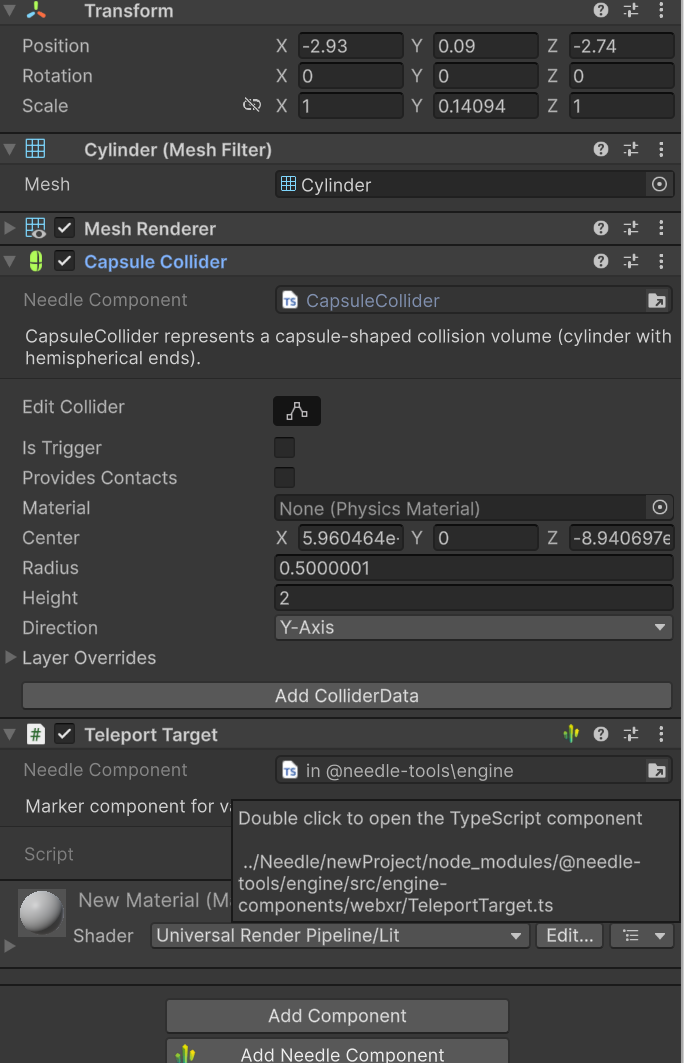
Hi, in your screenshot “Use Teleport” is turned off. If you want to use Teleportation it must be turned on. I’ll make sure we’ll improve this in the Editor UI to make it clearer.
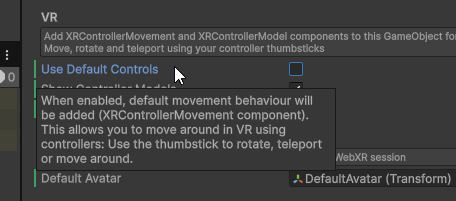
Also make sure to not have Use Default Controls enabled if you want to use your own component if the Use Teleport toggle is not enough:
Thnk..its work. but one more thing..is there anyway i can disable move on vr right controller joystick? when i push joystick XRrig still can move to another place.
where is this? i cant find this. Use Default Controls
You can just set movement speed to 0 
And Use Default Controls is a checkbox on the WebXR component.