Correct way to handle multiple instance

Hi, I’m currently facing high draw call due to objects being placed multiple times in the scene (a true classic: trees). I documented my tests below but maybe you can speed this up.

The model containing the object is exported from blender as .glb. It contains 168 tree instances (all aptly named “GN Instance”) and all are referencing the same underlying meshes and materials.

Baseline without trees

203 drawcalls

With trees as-is

1547 drawcalls
Reload (locally, no cache) to first frame takes about ~3s

GPU Instancing enabled for tree materials

722 drawcalls
But the first frame is now stalled for ~4s, resulting in about ~7s until first visible frame
During that time there are quite a few log entries like this:

[Instancing] Growing Buffer
Mesh: "GN_Instance_235"
Max count 16 → 32
Max vertex count 1100359 -> 2135991
Max index count 5600034 -> 11030370

GPU Instancing enabled for tree materials + preview compression / production build:

800something drawcalls
>30s until first frame, some missing textures for the trees.
lots of errors like the one below:

Failed adding mesh to instancing (object name: "GN_Instance_209", instances: 5/16, vertices: 1,166,886/2,204,118, indices: 2,073,942/7,604,454)
 RangeError: Array buffer allocation failed
    at new ArrayBuffer (<anonymous>)
    at new Float32Array (<anonymous>)
    at BatchedMesh._initializeGeometry (three.module.js?v=987edefb:33765:22)
    at BatchedMesh.addGeometry (three.module.js?v=987edefb:33928:8)
    at InstancedMeshRenderer.addGeometry (RendererInstancing.js?v=987edefb:678:44)
    at InstancedMeshRenderer.grow (RendererInstancing.js?v=987edefb:617:22)
    at InstancedMeshRenderer.add (RendererInstancing.js?v=987edefb:467:22)
    at InstancedMeshRenderer.addInstance (RendererInstancing.js?v=987edefb:447:18)
    at InstancingHandler.tryCreateOrAddInstance (RendererInstancing.js?v=987edefb:91:34)
    at InstancingHandler.setup (RendererInstancing.js?v=987edefb:29:26)

When starting this topic I did not know yet I’d run into problems with compression. I thought the main problem using instancing was the +4s stalling (maybe due to buffer allocations?).

But asking in a more general way: What are the best options to handle many (static) instances of the same mesh?

Hi krizzl0r,

When working with many repeating objects like trees in Needle Engine, the key is to consolidate them into one instancing batch so that you’re not submitting a separate draw call for each one. Even though your exported glTF already reuses meshes and materials, having 168 separate scene objects forces the engine to treat them individually unless you explicitly batch them via GPU instancing.

A common pitfall is that the instancing system starts with a low buffer capacity and then dynamically grows (as you’ve seen with “[Instancing] Growing Buffer”), which leads to performance hitches and even memory allocation errors. The recommended approach is to preallocate a buffer sized to your maximum expected instances. For example, if you know you’ll need 168 or more tree instances, you can override the default instance count (see InstancingHandler.getStartInstanceCount in the Needle Engine source at RendererInstancing.d.ts.md) so that the engine allocates enough space at startup.

Another approach is to export a single tree from Blender and then instantiate it programmatically using an InstancedMesh. Here’s a basic example:


import { Behaviour, serializable } from "@needle-tools/engine";
import { InstancedMesh, Matrix4, Mesh, Object3D } from "three";

export class TreeInstancer extends Behaviour {
  @serializable(Object3D)
  treeTemplate: Object3D | null = null;

  start() {
    if (!this.treeTemplate) return;
    // Cast to Mesh assuming it has geometry/material.
    const mesh = this.treeTemplate as Mesh;
    // Preallocate enough capacity (for example, 200 instances).
    const capacity = 200;
    const instancedMesh = new InstancedMesh(mesh.geometry, mesh.material, capacity);
    this.gameObject.add(instancedMesh);

    const matrix = new Matrix4();
    // Position each instance (customize transforms as needed)
    for (let i = 0; i < capacity; i++) {
      matrix.makeTranslation((i % 10) * 5, 0, Math.floor(i / 10) * 5);
      instancedMesh.setMatrixAt(i, matrix);
    }
    instancedMesh.instanceMatrix.needsUpdate = true;
  }
}

This way, you load the tree asset only once and instantiate it as many times as needed without dynamically growing buffers at runtime.

If you also notice missing textures with production builds and preview compression, double-check your texture import/compression settings so that all assets are correctly referenced.

If you continue to experience performance issues, it would help to share your project info (using “Copy Project Info Into Clipboard” from Unity) so we can dig more into specific settings.

Hope this speeds things up for you! Let me know if you need further help.

1 replies left - Become PRO for more replies.
thread_84Whir7d9DbnE9PA6KfmCRGy
Reply to this post directly if you need further help (bottom right button)

Hi @krizzl0r

Could you send a bugreport with the trees that reproduces the error?

I’d also like to checkout why you still get so many draw calls (1547 → 722)

I’ve uploaded a minimal repro with just a few more trees (187). The draw calls drop to 11 or something like that with instancing now.
I have yet to take a closer look at my full scene setup to see why the calls are much higher there.

Please note: The tree itself is a crap model btw just to get this out of the way :slight_smile: But it should still not break instancing when compression is enabled I guess.
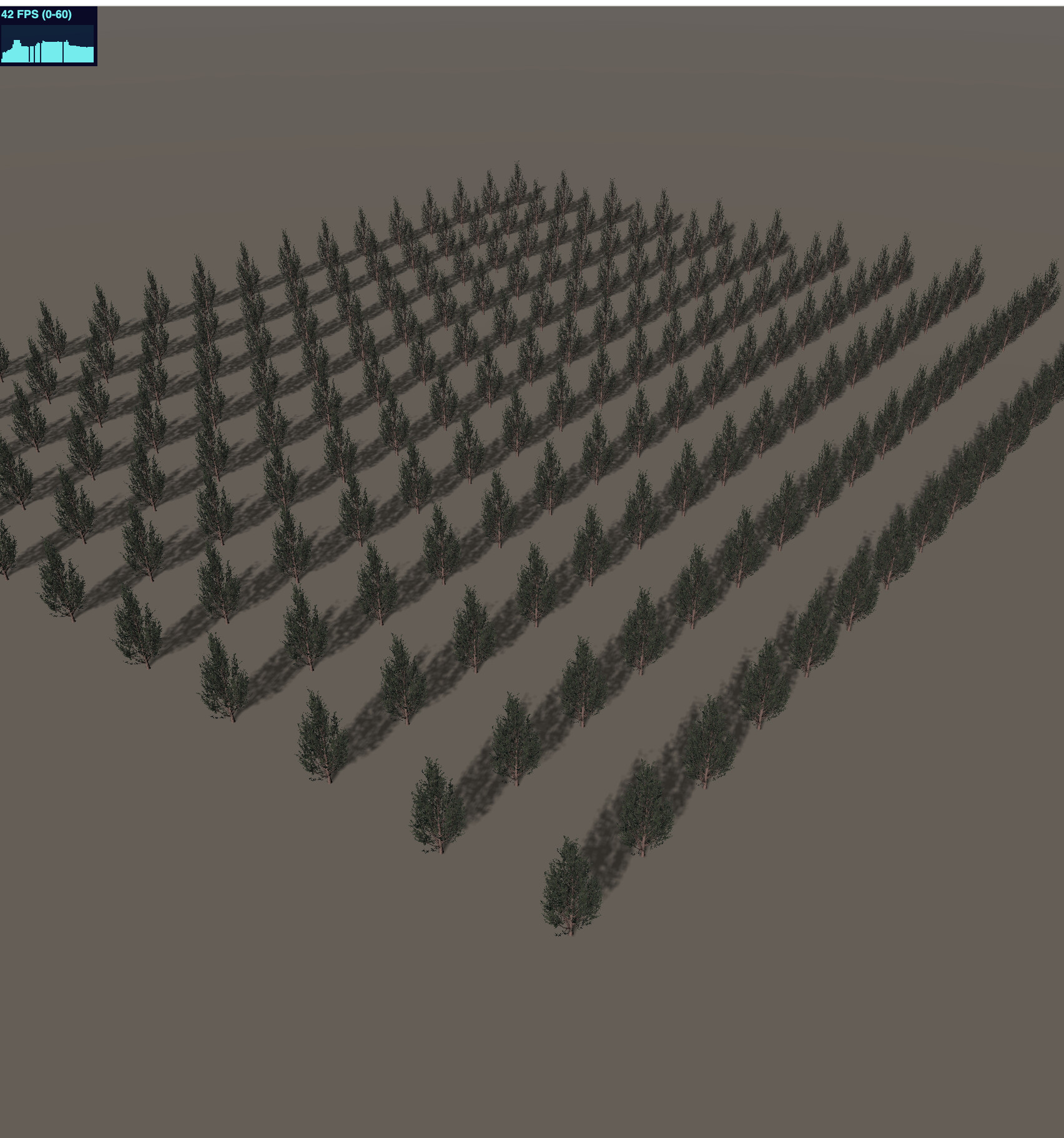
One more thing:

I’ve tried to start with higher capacity instance buffers:

InstancingHandler.getStartInstanceCount = (_obj: Object3D) => {
            if(_obj.name.startsWith("tree")) {
                console.log("encountered tree");
                return 128;
            }
            
            return 4;
        };

While 128 still works (without compression mind you), increasing it further to 256 to fit all trees breaks it.

Hello @krizzl0r thanks for the bugreport.

I’m still looking into it but believe that the compression bug should be fixed in the next update.

Sounds good, thanks!

Could you still give some advice on how to best handle situations like this? The bug was only a side effect of my tests after all :slight_smile:

Is GPU Instancing the way to go? The 4s stall it introduces on each app start is what makes me hesitate. What operation is taking so long and could it maybe be prepared/cached in an additonal build step?

I think the 4s stall was just caused by the underlying geometry buffer being increased despite that not being necessary. This also caused the error you saw eventually. Instancing is generally right for a lot of objects sharing the same material.

I think what’s eating a lot of performnace here is the overdraw because of the transparent tree foliage. When i have all trees in frame I’m at 15 FPS and with one tree up close I get 60 so it’s definitely rendering related. Tree’s are now two draw calls + shadows (trunk + leafs)

Edit: yes setting leafs to opaque and cutout I get 44 FPS now with all visible and 60 when zoomed in a bit. Three reports it’s rendering 23 mio vertices here so it’s also quite a lot of geo.

For comparison with transparent materials:

closer but still lots of overdraw

less overdraw by looking down

obviously the transparency change does change the look quite a bit here - maybe this can be compensated (I didn’t finetune the cutout here!)

1 Like

@krizzl0r you can try updating the needle engine package in your web project like so to test the changes:

package.json:

"dependencies": {
   "@needle-tools/engine": "npm:@needle-tools/engine@4.11.5-next.9fa3148"
}

Can confirm this works with compression now, even in my full setup. :tada:

@marwie One last question remains: Is there a way to skip reallocating buffers and start with a fitting size from the start? Would that help with the stalling?

Using InstancingHandler.getStartInstanceCount does not seem to work as intended as it starts up by allocating an array with the returned size for every renderer that matches. (And only later merges them together somehow?)

Here's the full script I tried to to use
import { Behaviour, InstancingHandler, Renderer, serializable } from "@needle-tools/engine";
import { Object3D } from "three";

export class InstancedMeshHelper extends Behaviour {

    @serializable()
    public namePattern: string = "";

    @serializable()
    public startInstanceCount: number = 4;

   
    override awake(): void {
        InstancingHandler.getStartInstanceCount = (_obj: Object3D) => {
            
            if(_obj.name.match(this.namePattern)) {
                console.log("encountered instance");
                return 128;
            }
            
            return 4;
        };
    }

}